rancher-ui-driver-proxmoxve
Rancher 2.x Proxmox VE UI Driver
Rancher 2 UI driver for Proxmox VE.
Using the Proxmox VE UI Driver
See the Rancher Documentation on how to add a node driver to your installation. The relevant part is in ‘Adding Custom Node Drivers’:
- From the navigation expandable from the top left, choose Global Apps > Cluster Management. Then navigate to Clusters > Drivers. From the Drivers page, select the Node Drivers tab.
- Click Add Node Driver or just activate the driver if the “Proxmox” driver is already present.
-
Complete the Add Node Driver form. Then click Create:
Key Value Download URL https://github.com/cuza/docker-machine-driver-proxmox-ve/releases/download/v0.0.2-alpha/docker-machine-driver-proxmoxve.linux-amd64Custom UI URL https://cuza.github.io/rancher-ui-driver-proxmoxve/component.jsChecksum 8771ed1afa47a3dbc310897baacf81f7Whitelist Domains - cuza.github.io
-your-proxmox-hostHint: When updating the driver, you might need to clone your node templates to ensure they use the updated driver version.
- Wait for the driver to become “Active”
- From the Sidebar, choose Global Apps > Cluster Management. Then click Create. The driver and custom UI should show up.
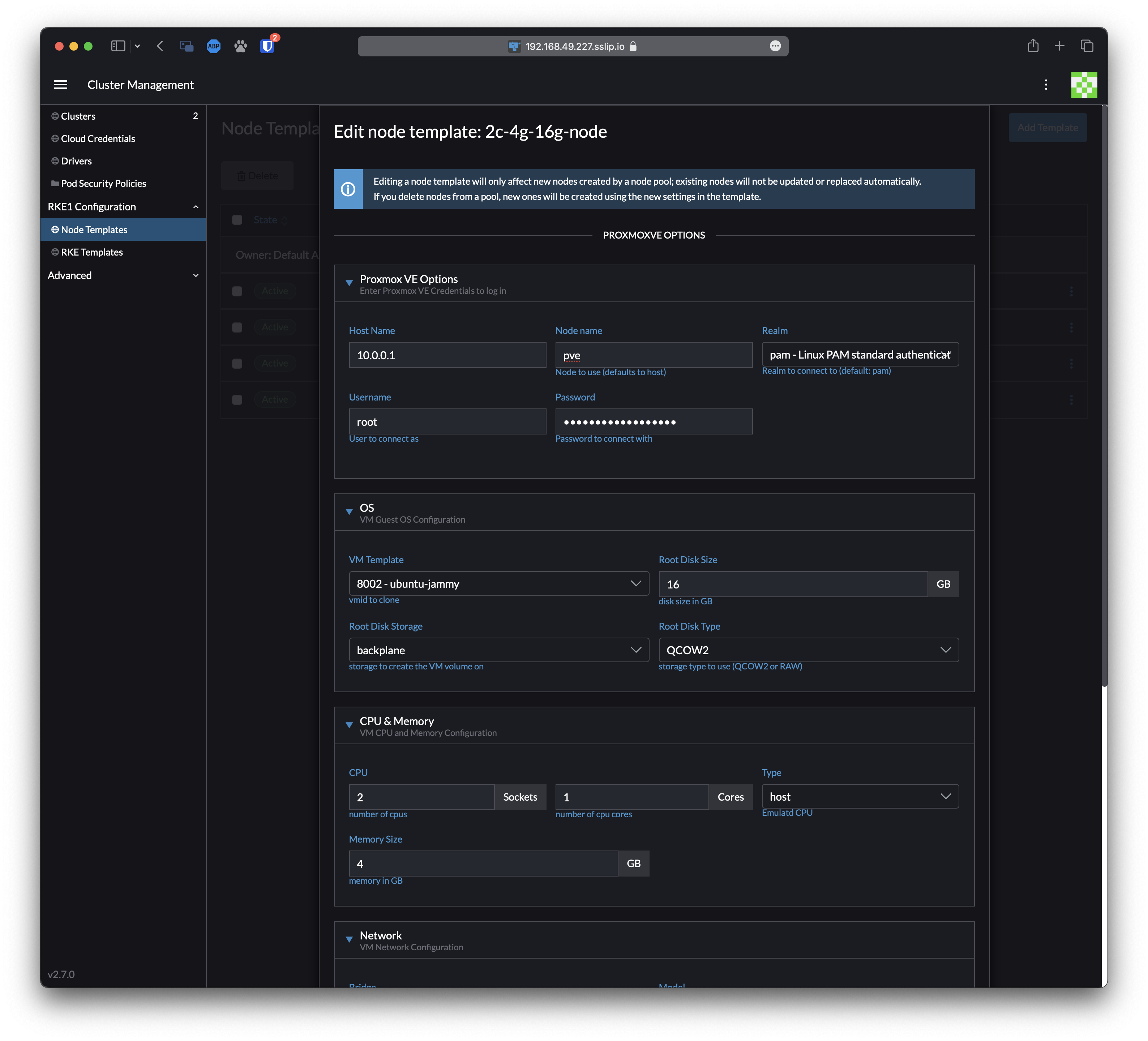
Development
This package contains a small web-server that will serve up the custom driver UI at http://localhost:3000/component.js. You can run this while developing and point the Rancher settings there.
npm start- The driver name can be optionally overridden:
npm start -- --name=DRIVERNAME - The compiled files are viewable at http://localhost:3000.
- Note: The development server does not currently automatically restart when files are changed.
Building
For other users to see your driver, you need to build it and host the output on a server accessible from their browsers.
npm run build- Copy the contents of the
distdirectory onto a webserver.- If your Rancher is configured to use HA or SSL, the server must also be available via HTTPS.
Credits
This driver is based on the great work of:
- lnxbil and his docker-machine-driver-proxmox-ve
- mhermosi and his ui-driver-proxmoxve